
How to Notarize Documents at Home: 2026 Guide
Updated: Sep 16
Table of Contents
Two Ways to Notarize Documents at Home
What You Need Before You Start
Step-by-Step: Notarizing Documents at Home with a Mobile Notary
Step 1: Find a Licensed Notary in Your Area
Step 2: Schedule the Appointment
Step 3: Prepare Your Documents and ID
Step 4: Complete the Notarization
Remote Online Notarization Wisconsin: The Digital Alternative
What Documents Require a Notary?
How Much Does a Mobile Notary Cost?
Common Mistakes and How to Avoid Them
Conclusion: Get Your Documents Notarized Without Leaving Home
Frequently Asked Questions
Last Updated: September 9, 2026
Two Ways to Notarize Documents at Home
The ability to notarize documents at home has transformed how Americans handle legal paperwork, and in 2026, you have two distinct paths: mobile notaries travel to your residence, while Remote Online Notarization (RON) lets you complete the process over a secure video call. The right option depends on your location, the document type, and how quickly you need the notarial act completed.
For most people, the decision comes down to state law. Some states authorize RON fully, others permit it only for certain documents, and a handful still require an in-person meeting (nass.org). Mobile notary service remains the universal fallback because it works in every jurisdiction.
What You Need Before You Start
Before you attempt to notarize documents at home, gather the essentials: a valid, government-issued photo ID that has not expired, your complete unsigned documents, and any witnesses the document itself requires. Some notarizations also need a credible witness if your ID is missing or outdated.
The notary will verify your identity, confirm you are signing voluntarily, and watch you sign in real time (nationalnotary.org). For RON sessions, you will also need a computer or smartphone with a working camera, a stable internet connection, and the ability to upload documents to the secure platform.
Watch Out Do not sign your documents before the notary arrives or the video call begins. A notary cannot legally notarize a document that was signed in advance, and you will be forced to redo the paperwork.
Step-by-Step: Notarizing Documents at Home with a Mobile Notary
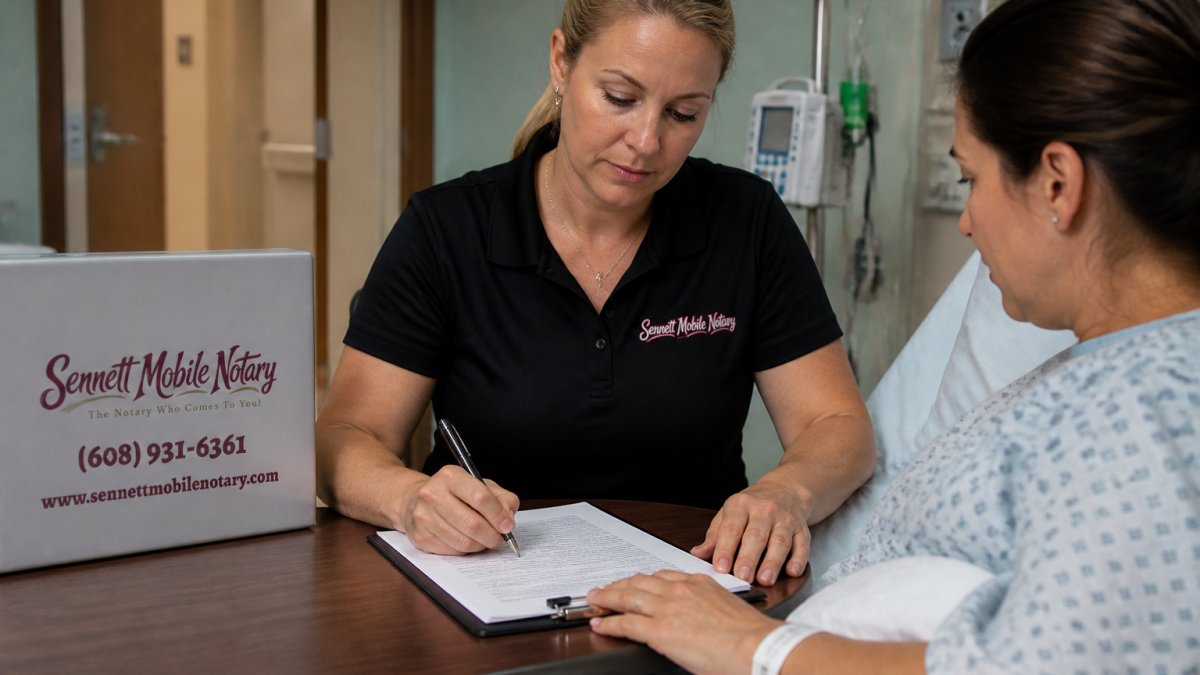
Mobile notary service brings a certified notary directly to your door, making it possible to notarize documents at home without any special technology. Most appointments take less than 30 minutes.

Step 1: Find a Licensed Notary in Your Area
Search for a licensed mobile notary who serves your county and confirm their commission is active through your state's notary regulating office. A legitimate notary will gladly provide their commission number and proof of bonding or insurance.
Step 2: Schedule the Appointment
Mobile notaries offer flexible scheduling, including early mornings, evenings, and weekends. When you book, confirm the notary's service area and ask about travel fees if you are in a remote location.
Step 3: Prepare Your Documents and ID
Lay out your unsigned documents and your current photo ID before the notary arrives. Do not staple anything yet, and leave signature lines blank. If the document requires witnesses, arrange for them to be present at the appointment, as they must also sign in the notary's presence.
Step 4: Complete the Notarization
The notary will examine your ID, confirm you understand the document, and watch you sign. They will then complete the notarial certificate, apply their official seal or electronic seal, and record the act in their journal. You receive your notarized documents on the spot, ready for filing or submission.
Remote Online Notarization Wisconsin: The Digital Alternative
Remote online notarization Wisconsin options have expanded significantly, offering a fully digital path to notarize documents at home without a physical visit. RON uses audio-visual communication to connect you with a commissioned notary who verifies your identity through credential analysis and KBA questions.
The convenience is real: no travel, no waiting, and the ability to complete the notarial act from anywhere with internet access. However, RON is not available for every document type. Certain estate planning documents, real estate deeds, and court filings may still require an in-person notary depending on state law and the receiving institution's policies (ncsl.org).
Pro Tip Ask the receiving institution, not just the notary platform, whether they accept RON. Many title companies and courts have their own policies that are stricter than state law, and a rejected document means starting over.
What Documents Require a Notary?
While the list of notarizable documents is broad, the critical question in 2026 isn't just what requires a notary, it's which of those can be handled from your home.
Documents That Are Almost Always Eligible for RON:
Most states that authorize Remote Online Notarization allow it for a wide range of general notarial acts. This includes:
Affidavits and Sworn Statements: Oaths and affirmations are a staple of RON platforms.
Powers of Attorney: Both financial and healthcare POAs are commonly notarized remotely, though some states impose additional witnessing requirements.
Vehicle Title Transfers: Many state DMVs now accept RON for title reassignment, but you must check your state's specific motor vehicle department rules.
Child Travel Consent Forms: These are frequently notarized online for parents sending minors across borders.
Business Documents: Corporate resolutions, operating agreements, and vendor contracts are routinely handled via RON.
Documents That Often Require an In-Person Notary:
The following categories frequently have carve-outs or outright prohibitions on RON, even in states that otherwise embrace it:
Real Estate Deeds: While some states like Texas and Florida allow RON for deeds, others, like Connecticut and Georgia, have historically restricted remote notarization for real property transfers. Even where legal, title companies and county recorders may have their own internal policies rejecting RON deeds. Always confirm with the title company and the county recorder's office before scheduling.
Mortgage and Loan Documents: The GSEs (Fannie Mae and Freddie Mac) have their own standards for RON. While they have expanded acceptance, certain loan types or investor requirements may mandate a traditional in-person signing.
Estate Planning Documents: Wills, trusts, and living wills are the most complex. Some states, like New York, do not permit RON for wills at all. Others allow it but require two remote witnesses in addition to the notary, which complicates the process.
Court Filings: Many state and federal courts have not updated their rules to accept RON. A document destined for a specific court must meet that court's local rules, which often still require a physical notary seal.
I-9 Employment Verification Forms: The Department of Homeland Security has specific rules. While there is a remote verification process for E-Verify employers, it is not the same as a standard RON session and requires an authorized agent.
The 'Receiving Institution' Test
Before you invest time in any remote session, apply the 'receiving institution' test. Call the agency, bank, or company that will ultimately process your document. Ask them two direct questions:
"Does your organization accept documents notarized via Remote Online Notarization?"
"If yes, do you have any specific platform or technology requirements?"
Watch Out A notary can legally perform the act, but that doesn't guarantee the document will be accepted. The liability for a rejected document rests with you, the signer. Always get written or recorded confirmation of acceptance from the receiving party before your appointment.
This state-by-state and institution-by-institution variance is the single biggest source of confusion for consumers. A document that is perfectly legal to notarize from your home in Wisconsin may be rejected in Illinois, or vice versa. The notary's role is to verify your identity and willingness to sign; it is your role to verify the document's admissibility downstream.
How Much Does a Mobile Notary Cost?
Pricing for mobile notary service varies based on travel distance, document complexity, and the time of day. Standard notarizations carry modest fees, while loan signings and after-hours appointments cost more due to specialized training and scheduling demands.
Rather than estimate figures that vary by provider and region, check with your chosen notary service for current pricing. Many providers publish fee schedules online, and reputable services will quote a firm price when you schedule.
Common Mistakes and How to Avoid Them
The most frequent error is signing documents before the notary arrives, which invalidates the notarization. Another common mistake is bringing an expired ID or one that does not match the name on your documents.
The most frustrating failures, and the ones that generate the most support calls, are technical. When a RON session fails, it's rarely the notary's fault; it's almost always a preventable issue on the signer's end. Here is a practical troubleshooting guide:
1. The 'Camera or Microphone Not Detected' Error
The Fix: This is almost always a browser permission issue. When your browser first prompts you to allow camera and microphone access, users often click 'Block' by accident. You must go into your browser's settings (usually found under the padlock icon in the address bar) and manually reset the permission to 'Allow' for the specific RON platform URL. Restart the browser after changing the setting.
2. The 'Identity Verification Failed' Loop
The Problem: The platform's automated identity proofing, which checks your ID against public records and asks Knowledge-Based Authentication (KBA) questions, has failed. This happens when you have a thin credit file, recently moved, or have a name mismatch (e.g., using a nickname on the document vs. your legal ID).
The Fix: Do not keep retrying the same way. If you fail KBA twice, the platform will often lock you out for 24 hours. Instead, contact the notary platform's support team before your scheduled session. Many platforms offer a 'manual review' process where a human agent can verify your ID via a secure link, bypassing the automated checks. This is a standard fallback, but you must initiate it ahead of time.
3. The 'Document Upload Failed' or 'File Too Large' Error
The Problem: Most RON platforms require PDF files under a specific size limit (often 25 MB). Scanning a 20-page document at high resolution on your phone can easily exceed this.
The Fix: Use a dedicated PDF compression tool or adjust your scanner settings to a lower DPI (150 DPI is usually sufficient for text documents). Also, ensure the file is not password-protected, as the platform cannot open it.
4. The 'Connection Dropped Mid-Session' Disaster
The Problem: Your Wi-Fi signal is weak, or your internet service provider is having a momentary outage. RON platforms require a stable, high-bandwidth connection for the audio-visual recording.
The Fix: Do not rely on Wi-Fi. Use a hardwired Ethernet connection if possible. If you must use Wi-Fi, sit as close to your router as possible and close all other bandwidth-heavy applications (like streaming services or large downloads) on your network. If the connection drops, the session will pause. You can usually reconnect, but the notary may require you to restart the identity verification process for security.
5. The 'Outdated Browser' Warning
The Problem: RON platforms use WebRTC technology that requires the latest versions of Chrome, Safari, or Firefox. An outdated browser will block the session.
The Fix: Before your appointment, check that your browser is up to date. If you are using a corporate-managed computer, the IT department may have locked the browser version, which will cause issues. Test the platform's 'system check' tool at least 24 hours in advance.
Pro Tip Most reputable RON platforms offer a free 'test call' feature. Use it the day before your appointment to verify your camera, microphone, and internet connection. This 5-minute check will save you from a 30-minute technical support headache on the day of your signing.
Common Mistake | How to Avoid It | Result |
Signing before the notary arrives | Leave signature lines blank | Valid notarial act |
Expired or mismatched ID | Check ID validity and name match | Appointment proceeds |
Missing required witnesses | Arrange witnesses in advance | Document accepted |
Poor internet for RON | Test equipment before the call | Session completes |
Unverified document acceptance | Confirm with receiving institution | No rejected filings |
Camera permission blocked | Reset browser permissions | Video feed works |
KBA verification failure | Contact platform for manual review | Identity is verified |
Document file too large | Compress PDF to under 25 MB | Upload succeeds |
Wi-Fi connection drops | Use Ethernet or sit near router | Session stays stable |
Technical failures plague RON sessions when participants have poor internet connections or outdated browsers. Test your camera, microphone, and platform compatibility before your scheduled time. Finally, do not assume every document can be notarized at home; verify acceptance in advance.
Conclusion: Get Your Documents Notarized Without Leaving Home
Whether you choose a mobile notary or a remote online session, notarizing documents at home is simpler than ever when you prepare correctly. The key is knowing your state's rules, gathering the right identification, and leaving signatures unsigned until the notary is present. Sennett Mobile Notary brings professional verification directly to your preferred location across Southern Wisconsin, with flexible scheduling that includes early mornings, evenings, and weekends. Book your appointment today and experience the Sennett Standard of convenient, stress-free document verification.
Frequently Asked Questions
Can a mobile notary come to my house?
Yes. A mobile notary travels to your location, including your home, office, or a care facility. This is the most common way to notarize documents at home when you need a wet signature. To arrange a visit, contact a local mobile notary service, provide your address and the type of document, and schedule a time that works for you. Many services offer flexible hours, including evenings and weekends.
Is remote online notarization legal in Wisconsin?
Yes, remote online notarization (RON) is legal in Wisconsin. This process allows a notary to verify your identity and witness your signature over a secure video conference. However, not all document types are eligible for RON, and the notary must be commissioned in Wisconsin and use an approved platform. For documents that require a physical presence, a mobile notary is still the preferred option.
How much does it cost to notarize a document at home?
The cost to notarize a document at home depends on several factors. The notary's travel time, mileage, and the number of signatures required all affect the final price. While a standard notarization at a bank might be inexpensive or free, the convenience of a home visit commands a higher fee. Contact a local mobile notary service for a specific quote based on your location and document type.
What documents require a notary?
Common documents that require a notary include real estate deeds and closing documents, mortgage papers, powers of attorney, wills and trusts, advance healthcare directives, and certain legal affidavits. Vehicle title transfers and some business documents, like I-9 forms, also need notarization or verification. The requirement often comes from the institution requesting the signature, so check with them if you are unsure whether your document needs a notary seal.
Book Appointment

Comments